
Writing Alt Text for Funny Images: A Practical Guide
Write useful alt text for memes and reaction images, including visual jokes, captions, GIFs and decorative images, with practical examples.
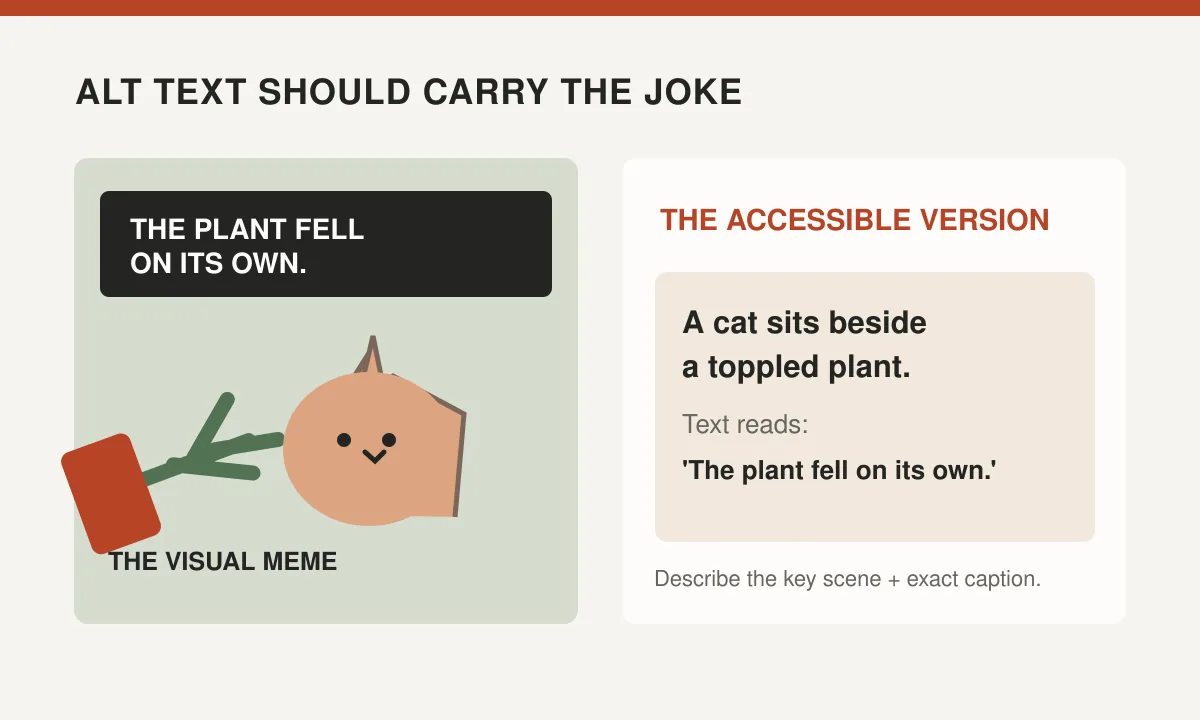
You have created a meme of a cat sitting beside a toppled houseplant, looking as though it has just been asked to chair an emergency meeting. The caption says, "The plant fell on its own." Your friend laughs. But what should someone who cannot see the image receive instead?
Good alt text gives people access to the information, emotion and joke conveyed by an image. The challenge with memes is that the picture and the caption often work together. Describing one without the other can be like explaining a punchline while leaving out the entire situation.
Start with the image's purpose
Alternative text is not a universal inventory of everything in a picture. Its purpose depends on why the image appears and what the reader needs to understand.
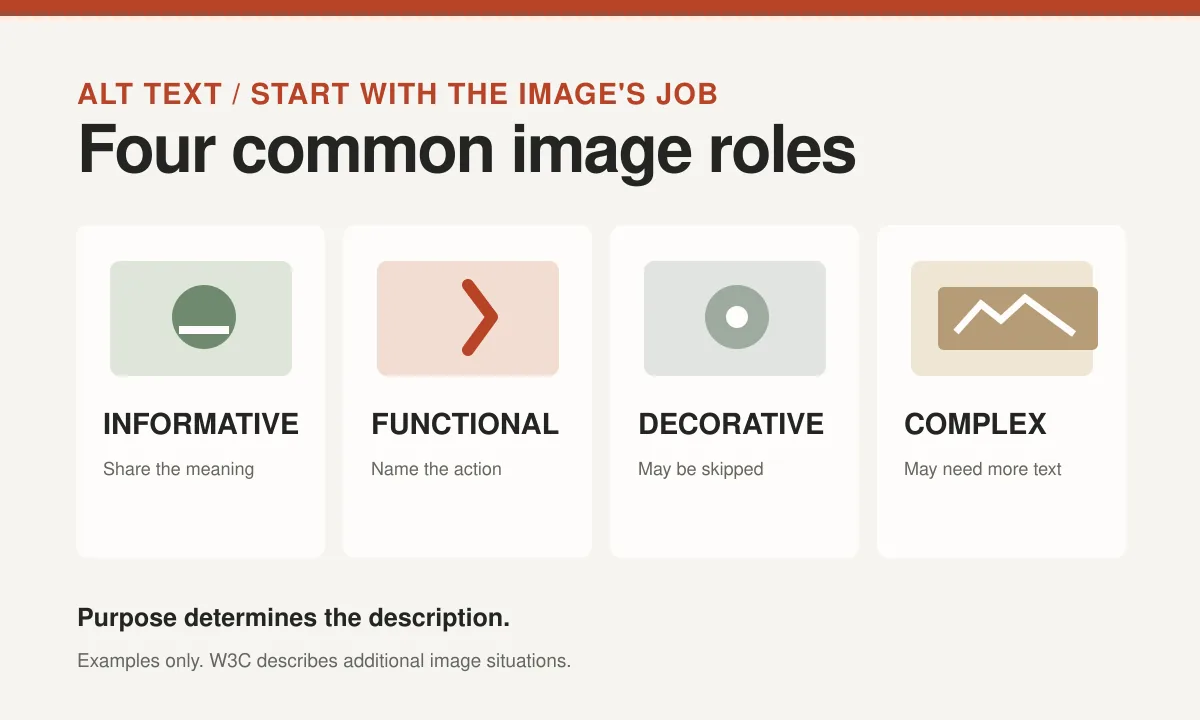
The W3C Web Accessibility Initiative's image tutorial distinguishes informative, functional, decorative and complex images. A photograph illustrating a specific point may need a concise description. An image used only as a visual decoration may need empty alt text. An image that acts as a button needs to communicate the action.
For a meme, ask what readers miss if they cannot see it. Is the joke a facial expression, a contrast between caption and picture or words written inside the image? Explain the essential combination.
An empty alt attribute can be appropriate when the adjacent text already conveys the full joke and the image adds no extra information. Don't make a genuinely informative meme decorative simply because it is meant to be funny.
Describe the scene that makes the joke work
Imagine a picture of a dog looking suspiciously at an empty food bowl. The caption says, "Me when dinner is five minutes late." A useful description identifies the expression, object and words.
Try: "A dog stares intensely at an empty bowl. Text reads: 'Me when dinner is five minutes late.'"
This allows a person using a screen reader to understand the visual connection. You don't need to identify the breed, floor material or make of food bowl unless those details matter.
Our gallery of reaction expressions shows how an expression can carry emotional context. If the reaction is crucial to the joke, describe it in clear, observable terms: "A character raises one eyebrow" rather than inventing an elaborate account of what that character is secretly thinking.
A good alternative doesn't have to be laugh-out-loud funny by itself. It should make the intended humor understandable.
Include important text printed inside the image
Memes often contain words as pixels rather than selectable text. Screen readers cannot reliably read those pixels in the same way they read normal page text.
The W3C guidance on images of text says that meaningful text inside an image should be available as a text alternative when it is not already provided in nearby accessible text.
If a meme says "When the meeting could have been an email," include that phrase in the description. The words are part of the content, not a decoration.
You can integrate the caption naturally: "A tired-looking cartoon character sits beneath the words, 'When the meeting could have been an email.'"
If the image contains a long paragraph, a short alt attribute may not be the best place to squeeze everything. Provide a visible caption or longer description nearby, and make sure important content isn't duplicated unnecessarily for screen reader users.
Give enough context without explaining the joke to death
The description "Man, funny" doesn't tell the reader what is happening. The description "A human adult of indeterminate age looks down at a white ceramic item placed three inches to the left of a wooden table edge" may technically contain information, but it has somehow made comedy illegal.
Choose the details that explain the setup. A picture of someone staring at a laptop can be described as "Person looking shocked at a laptop screen" when that expression carries the meme.
If a recognizable character is important to the reference, you can mention the character's name when you know it and when identification is appropriate. Avoid guessing the identity of someone you do not recognize.
Alt text should not claim emotions as facts when the visual is ambiguous. "Looks bewildered" often makes sense; "Feels betrayed because of a text message" invents a story not necessarily present in the scene.
The W3C tips for alternative text recommend keeping the description concise and prioritizing the most important information.
Compare weak and useful examples
A few pairs show how much difference the focus can make.
- Cat beside a fallen plant. Weak: "Funny cat." Better: "Cat sits beside a toppled plant; text reads 'It fell on its own.'"
- Person celebrating a small win. Weak: "Best meme ever." Better: "Person throws both arms up triumphantly; caption says 'Me remembering my password.'"
- Dog waiting by a door. Weak: "Cute dog picture." Better: "Dog waits attentively by the door; text says 'When someone mentions a walk.'"
The exact wording can change with context. If the surrounding article has already explained the plant joke, repeating every word may be unnecessary. If the image appears by itself in a gallery, the fuller description becomes more important.
For more on how captions shape a joke, see how to make a simple photo funny.
Handle purely decorative images differently
Not every picture needs a spoken description. A little decorative crown beside a heading may add personality without adding information.
When an image is truly decorative, use an empty alt attribute (written as alt="") so assistive technology can skip it. The W3C decorative-images guidance explains why omitting the attribute entirely is not equivalent: some screen readers may announce the file name instead.
This is a context decision. The same decorative crown could become meaningful if it identifies a particular feature or acts as a link to the home page. In that case, the accessible label should communicate what the control does.
Don't add a string of keywords to a decorative image to make it seem more "optimized." You would be turning an unnecessary visual flourish into an unnecessary spoken interruption.
The user experience comes first, including for readers who prefer the page to be concise.
GIFs and moving memes need thoughtful descriptions
An animated GIF may show several actions. A person turns to the camera, pauses and looks dramatically unimpressed. Describing only the first frame can lose the reaction.
Use a concise description of the meaningful sequence: "Person turns toward the camera, pauses and gives a long, unimpressed stare." Add any words displayed during the animation.
If the motion conveys additional information too complex for a short sentence, include a nearby text description. Avoid forcing the entire animation into a giant alt attribute.
Consider motion sensitivity too. Rapid flashing or constantly moving media can cause problems for some users. Choosing a static reaction where possible and following platform accessibility controls may improve the experience.
Our guide to memes versus GIFs compares formats with readability and movement in mind.
Don't confuse alt text with a caption or image title
These three elements have different jobs. Alt text communicates image content or function to people using assistive technologies and to users when an image cannot load. A visible caption provides context that everyone can read. The HTML title attribute is not a reliable replacement for meaningful alt text.
A file name such as cat-plant-meme.webp may help someone managing the asset, but it isn't a substitute for a well-written description.
Likewise, a visible caption can make a joke better without automatically explaining every important detail of the picture. Think about the whole page and what has already been communicated.
The goal is not to fill every field with a different version of the same sales phrase. It is to give users access to the information they need without unnecessary repetition.
| Element | Main purpose | What to avoid |
|---|---|---|
| Alt text | Convey meaningful visual information or function | Keyword lists and vague 'image of' labels |
| Visible caption | Provide useful context to all readers | Repeating the whole article |
| Title attribute | Optional supplementary information in limited contexts | Using it instead of alt text |
A practical workflow for a meme collection
When working through a large image library, repeat a simple process:
- Read the visible caption and surrounding text.
- Identify the expression, action or visual contrast essential to the joke.
- Write one concise sentence that joins those elements.
- Include meaningful text that appears only inside the image.
- Check whether the image is genuinely decorative, informative or functional.
- Read the description as if no image were available.
- Review with people using assistive technology when feasible.
For a gallery, descriptions should distinguish images from one another. "Funny meme 1" followed by "Funny meme 2" is a filing system, not useful accessibility.
You don't need to describe every background chair. You do need to explain why this particular chair looks like it has just received an invoice it cannot afford.
Let the alternative text preserve the experience
Some jokes are visual and difficult to translate perfectly. That doesn't mean the description is pointless. A clear account of the setup and the surprising visual detail can let more people participate.
Use the surrounding text when a joke requires explanation, and revise descriptions when images change. A meme swapped for another picture should not retain the old alt text, no matter how excellent the wording was.
Remember that the accessible version deserves the same editorial care as the visible caption. You are writing for a person, not fulfilling a mysterious technical quota.
When somebody can understand why the cat looks guilty beside the ruined plant, your alt text has done its job. The cat will continue denying responsibility.