
How to Turn Your Own Photo Into a Meme
Learn how to turn an original photo into a funny meme with a sharp caption, readable layout, alt text and sensible permission checks.
Your camera roll contains a photograph of a dog looking at a broken umbrella as if it has personally betrayed the family. It is an ordinary picture. Add the right caption and it becomes an official record of how you feel when the printer asks for ink again.
Turning your own photo into a meme is a good way to make something original, especially when the image captures a familiar expression or situation. You need a clear idea, a readable layout and a quick check that the photo is yours to use in the way you intend.
Start with a photo that already tells a story
Look through images for a recognizable expression, gesture or contrast. A pet sitting proudly beside a mess, an unevenly stacked pile of books or your own confused expression after a long day all offer possible setups.
The strongest image makes the joke easy to understand before anyone reads the caption. A person pointing at an obviously broken object suggests frustration. A solemn cat beside an empty food bowl suggests disappointment, though the cat may also be considering an entirely unrelated and more complicated matter.
Choose images with a clear subject and enough empty space for text. A busy background can compete with the punchline.
If you want inspiration, the relatable memes collection shows how simple everyday moments can carry surprisingly specific emotions.
Decide what the picture reminds you of
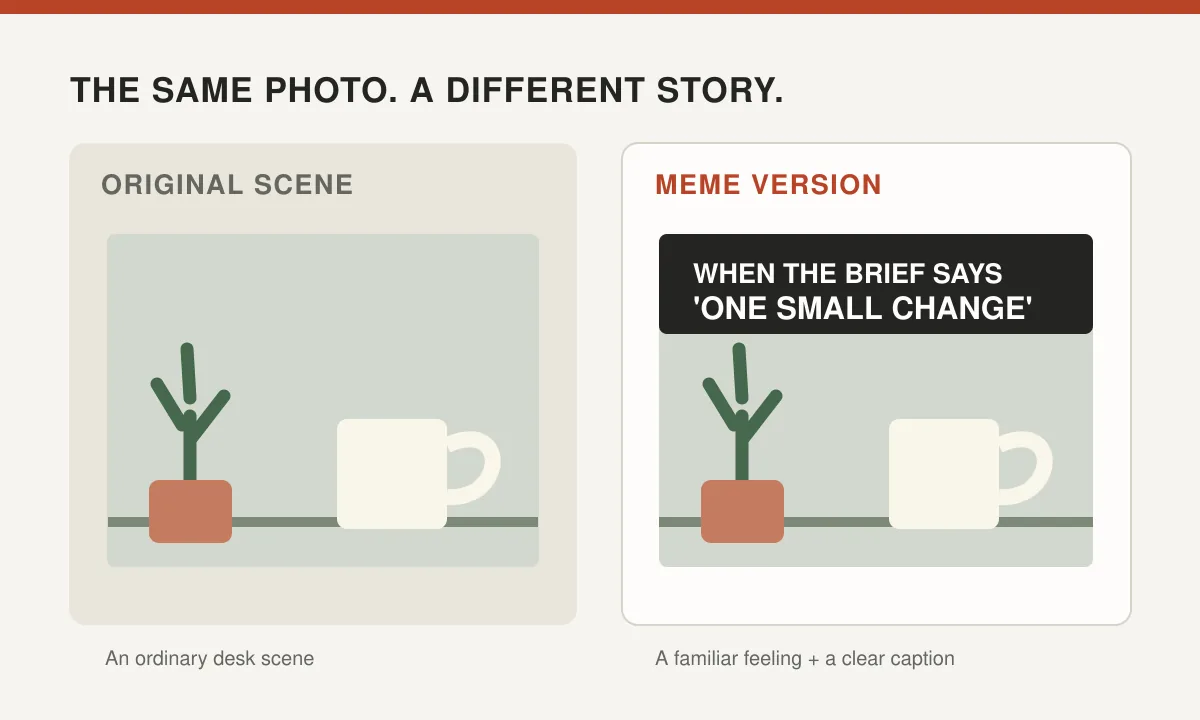
Don't begin by typing a random phrase onto the photograph. Ask what familiar experience the pose suggests. Maybe the dog looks like someone discovering an important email at 4:59 p.m. Maybe your stack of boxes resembles every ambitious moving plan that became difficult on day two.
Write the situation in plain language. "When you realize the online meeting started ten minutes ago" gives a recognizable setup. The expression in the image supplies the reaction.
The joke often comes from a mismatch between the very ordinary situation and a theatrical picture. A tiny household error can be given the gravity of a historic event, without pretending something serious actually happened.
Try three captions before choosing one. The first is usually the obvious description. The second may be too elaborate. The third often identifies the small detail that makes someone say, "That is exactly what happened to me."
Our guide to writing better captions for simple photos offers additional ways to find that detail.
Crop for expression, not confusion
A good crop keeps the important subject easy to see. If the joke is about a startled face, don't leave it as a tiny speck in the corner of a photograph showing most of the kitchen.
Keep enough context to explain what happened. A close-up of a cat's face can work on its own. A photo of somebody standing beside a collapsed tent may need the tent visible.
Avoid editing people into misleading situations. A crop that removes critical context can change a harmless moment into an embarrassing or false implication.
If your photo contains private documents, an address, a license plate or a screen with personal messages, consider removing those details before publishing. The audience wants a joke, not an unexpected opportunity to read your mail.
Save a copy of the original file. You may later discover that the carefully cropped version has removed the best part of the scene.
Write a caption with a clear rhythm
Simple meme text is usually easier to read than a long block of explanation. Set up the situation and allow the image to finish the joke.
Try a short top line for the expectation and a lower line for the unexpected outcome. Alternatively, put the full sentence in one readable area: "Me opening the fridge for the fourth time, hoping it has developed new options."
You do not need to use the classic all-capitals style. Sentence case can feel more natural, and a clear typeface is more important than copying a particular meme era.
Make the text large enough to read on a phone. Keep it away from essential facial features. If the picture has a dark and light background, use a solid panel or subtle text outline rather than relying on colors that disappear over part of the image.
Check the text aloud. Remove any extra words that slow down the punchline. If your caption takes fifteen seconds to explain a two-second expression, it may need another edit.
Use a simple editing workflow
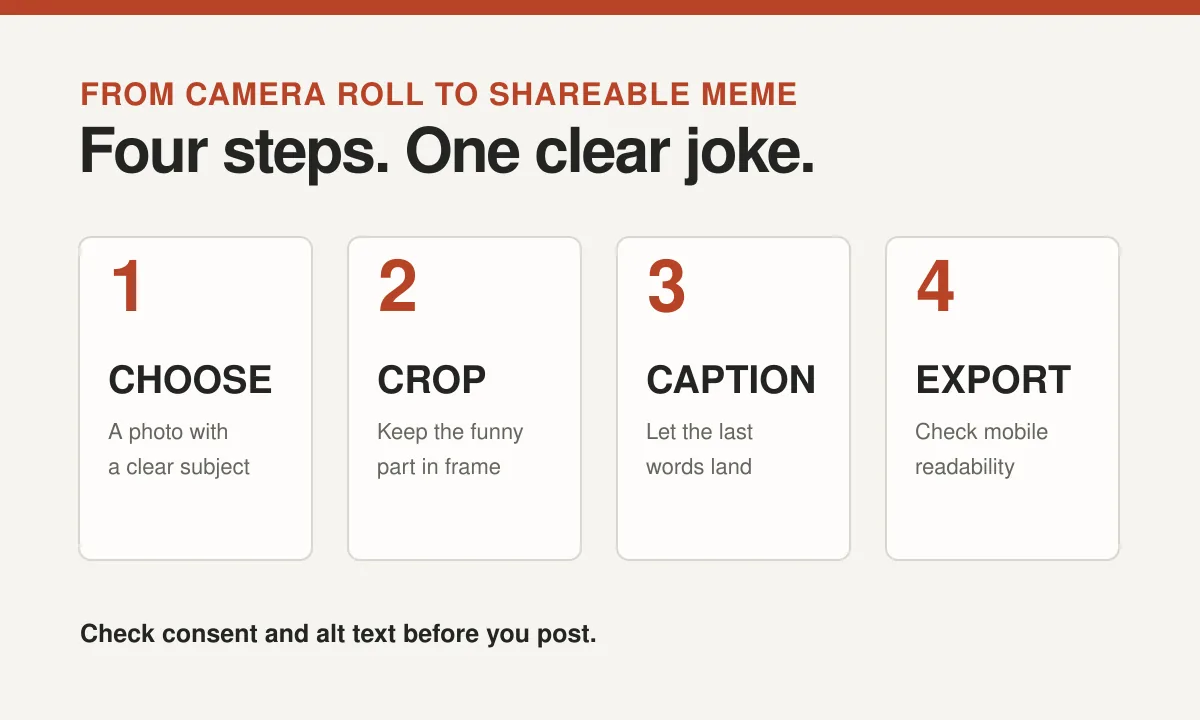
You can create a meme in most photo editors without learning complicated design software. The steps are straightforward:
- Duplicate the original image so you can return to it.
- Crop the photo to emphasize the expression or object that carries the joke.
- Add one caption or a clearly separated setup and punchline.
- Choose a legible font with strong contrast against the background.
- Export a reasonable-size image and check how it looks on a phone.
- Read the caption once more before sending or posting.
A PNG may preserve crisp text well, while JPEG and WebP can be suitable for photographic images. The right choice depends on where the image will be shared and how the platform compresses it.
Do not assume that an enormous file will look better. Messaging apps often resize images, and very small text may become illegible when the file is compressed.
| Format | Best for | Check before sharing |
|---|---|---|
| WebP | Compact, web-friendly images | Confirm your platform supports it |
| PNG | Screenshots, illustrations and crisp text | Watch for a larger file size |
| JPEG | Photographs without much overlaid text | Check caption sharpness after compression |
Make the joke accessible
If the photo carries information necessary to understand the meme, include a text alternative where the platform allows it. Describe the visual action and the words on the image, focusing on the meaning.
For example, a photo of a dog looking shocked beside an empty bowl with the caption "When breakfast is five minutes late" could have alt text such as: "Dog staring wide-eyed at an empty bowl; caption says, 'When breakfast is five minutes late.'"
The W3C's image accessibility tutorial explains that alternative text should communicate an image's information or function. A decorative image may need empty alt text, but a meme carrying the joke usually needs a meaningful description.
Don't stuff the alt text with keywords. You are helping someone understand the picture, not inviting a search engine to grade your enthusiasm for dogs.
For more examples, see our practical guide to alt text for funny images.
Check permission before featuring other people
Taking a photograph does not automatically mean you can publish every person or object it contains without considering other rights. Privacy, consent, workplace expectations and image rights can matter.
If a friend appears in the photo, ask whether they are comfortable being turned into a meme, especially if the punchline refers to an embarrassing moment. An image they shared privately should not become a public template without a conversation.
Check whether the picture contains artwork or photographs created by somebody else. Owning your photograph does not necessarily clear the rights in everything visible within it.
The UK Intellectual Property Office guidance on digital photographs explains that ownership and permission can vary, including for commissioned work and images involving other protected material.
When in doubt, use a photo of an object, pet or original scene you control. The toaster is less likely to object to its portrayal as an exhausted office manager.
Don't manufacture a joke at somebody's expense
One of the easiest ways to create an original meme is to make yourself the subject, if you are comfortable with that. A silly expression or a staged reaction can capture a recognizable feeling without exposing anyone else's awkward moment.
You can also use objects, drawings, hands or simple shapes. A crooked stack of books with a dramatic caption can be funny without involving a face.
Avoid photographing strangers or provoking animals to get the desired response. A spontaneous, safe moment is enough.
Our guide to creating funny visuals without using someone else's face offers alternatives that keep the visual joke while reducing privacy concerns.
Test the result with a real reader
Send the finished image to one friend who understands the general subject but hasn't heard the backstory. If they recognize the joke immediately, the image and caption are doing their jobs.
If they ask what the photograph is supposed to mean, decide whether the caption needs one more clue. If they zoom in to read the text, adjust its size and contrast.
A meme doesn't need to make everybody laugh. Specific jokes often work best for small groups with shared experiences. A picture of your household's legendary chair may be magnificent to six people and entirely unremarkable to the rest of the world.
Save a clean master copy and the caption text somewhere convenient. You may want to produce variations later without rebuilding the original image.
The result should feel personal, readable and unmistakably yours. You now have a new meme, and the dog has become an unpaid member of your creative department.